The spectator trap and the shift to "vibe designing"

Author
Hulusi Tunc
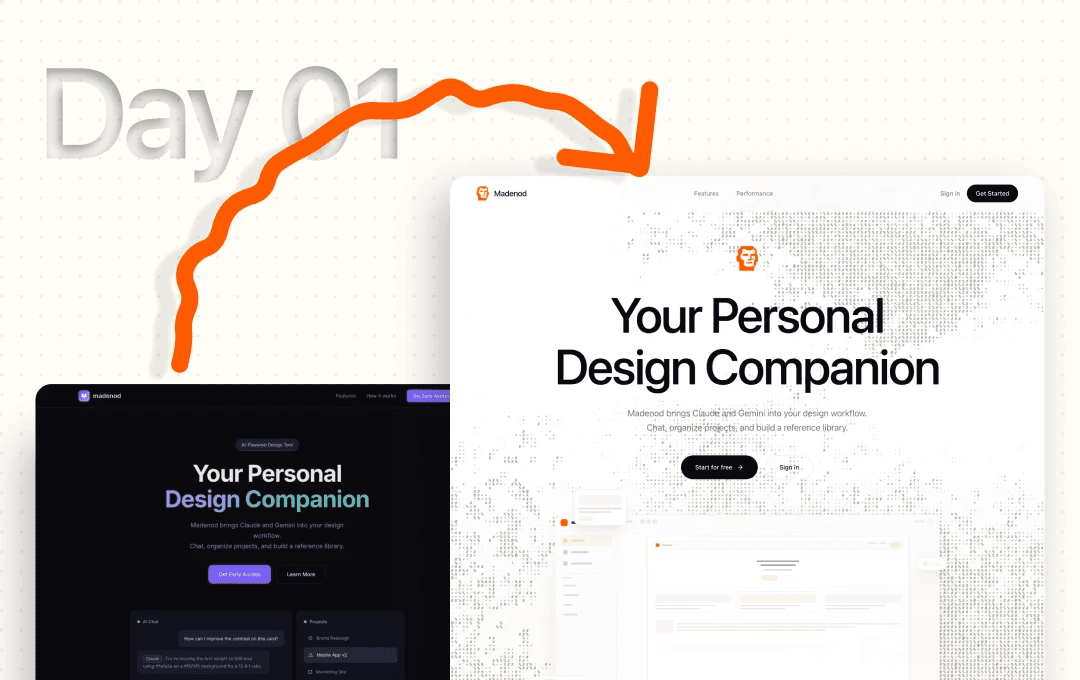
keeping up with every new thing in design right now is a full-time job. literally, you have to be unemployed to catch it all.
every day there's a crazy new drop. figma updates, mcp servers, claude code... it's so easy to fall into the spectator trap. you scroll the timeline, watch the demos, say "wow," and then just go back to doing things the exact same way.
i got tired of just being amazed by the tech field while sitting on the sidelines. so i stopped watching and jumped straight into claude code to actually build something.
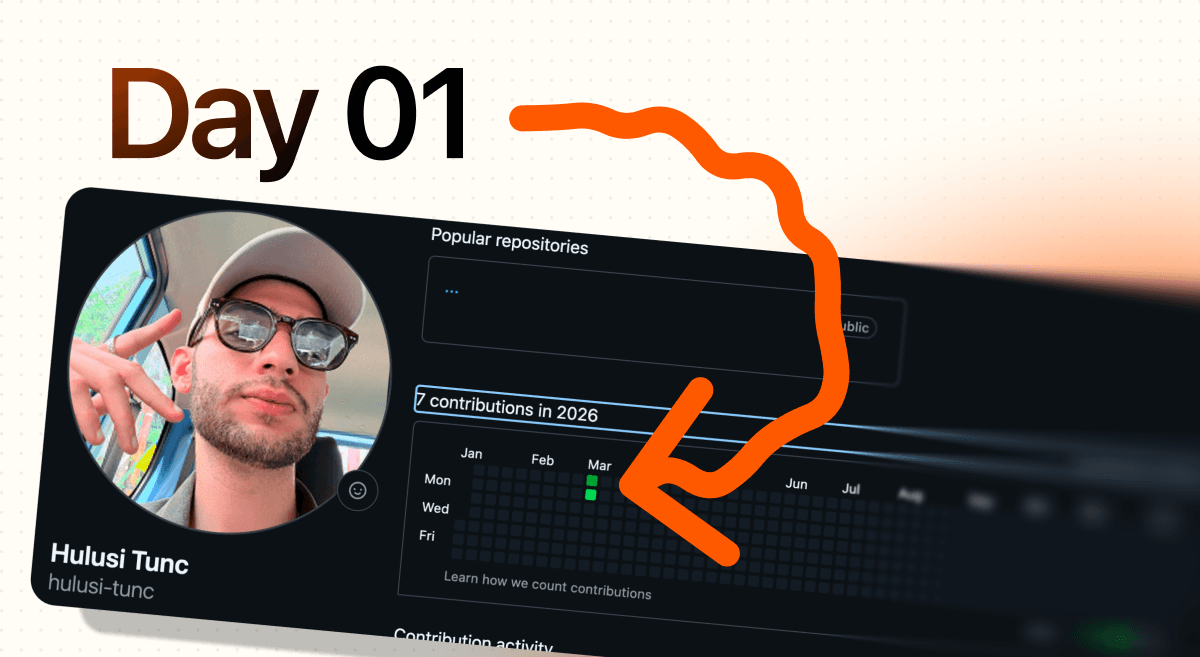
if you look at my github graph, it's basically a ghost town. two green dots. it's not a flex, it's just the reality of starting from zero. i'm jumping into code as a designer so i can finally bridge that gap and build the personal design companion tool i actually want to use.
but here is the reality check i hit almost immediately.
we hear a lot about "vibe coding" lately. but what we actually need is "vibe designing."
ai can spit out functional code crazy fast. (which is cool, but let's be honest, it's not real engineering. real engineering is still incredibly hard.) but getting that ai-generated code to actually look good? that’s the real bottleneck. the raw ui has zero soul.
if you just accept the first output, your app looks like a generic template from 2015. getting a good vibe takes real iterations, just like our normal design work.
here is the workflow i'm using to actually teach the ai some taste:
visual references over text: text prompts are completely useless for vibes. you gotta feed it actual visual inspiration first, or it just defaults to a boring, generic dashboard.
the figma mcp loop: this is the actual cheat code. stop fighting the terminal trying to fix margins and hex codes blindly.
push, edit, pull: push the raw ai output directly into figma as editable layers. go in, do what you do best (fix the layout, give it a real identity), and then pull it right back into claude to update the codebase.
ai gives you the engine and the starting block, but you still have to steer the vibe. you can see the jump from a raw terminal output to the actual layout in the screenshots below.
less watching, more building.
cheers.